The best apps to schedule messages in 2026
Updated
For a text later this week, use what's already on your phone. That's Send Later in iPhone Messages (iMessage only, up to 14 days ahead), or scheduled send in Google Messages on Android. For email, Gmail's schedule send is free. Telegram can schedule a message in any chat. For a letter to your future self, FutureMe has been around since 2002. And for a message to someone months or years from now, with a photo, voice note or video and nothing for them to install, there's LightVow.
Mostly it comes down to how far ahead it needs to go. Phone schedulers are built for hours and days. For months or years, you want a service that holds the message and sends it on the day.
| App | Best for | How far ahead | What they get | Worth knowing |
|---|---|---|---|---|
| LightVow | A message to someone else, or yourself, months or years from now | Up to 2 years on a free letter, up to 20 on a paid plan | A private link by text or email that opens in the browser. No app or account | A letter on a card, with photos, voice notes or video. Once sealed, it can't be edited or opened early |
| iPhone Messages (Send Later) | A text to another iPhone, later this week | Up to 14 days | A normal iMessage from you | iMessage only, on iOS 18 or later. You need to be online to edit or delete a scheduled message |
| Google Messages | A text from an Android phone | The date and time you pick. Google doesn't state a limit | A normal text from you | Needs Android 7.0 or later. If your phone is offline at that moment, it sends when it reconnects |
| Gmail schedule send | An email a few weeks or months out | Google doesn't say how far ahead | A normal email from you | Free with a Gmail account, up to 100 scheduled emails. It only sends if your account is still there on the day |
| Telegram | Messages to people who use Telegram | Telegram's announcement doesn't say | A normal Telegram message from you | Hold the send button and choose Schedule Message. In Saved Messages, it works as a reminder to yourself |
| FutureMe | Letters to your future self | Dates up to 2076 | A letter by email. Writing to someone else needs an account | Running since 2002. Images, videos and files come with Premium. Check what's free before you write |
Checked on . We make LightVow, so keep that in mind. Every line about another app comes from that app's own help pages or site, listed under Sources. No prices, because they change and each app lists its own. Read on November 21, 2026 (FutureMe on November 12, 2026). "Doesn't say" means the app's own page doesn't say, not that there's no limit.
Seal it for the day it should arrive

Or write it on the web
First letter free. You only sign up when you seal it.
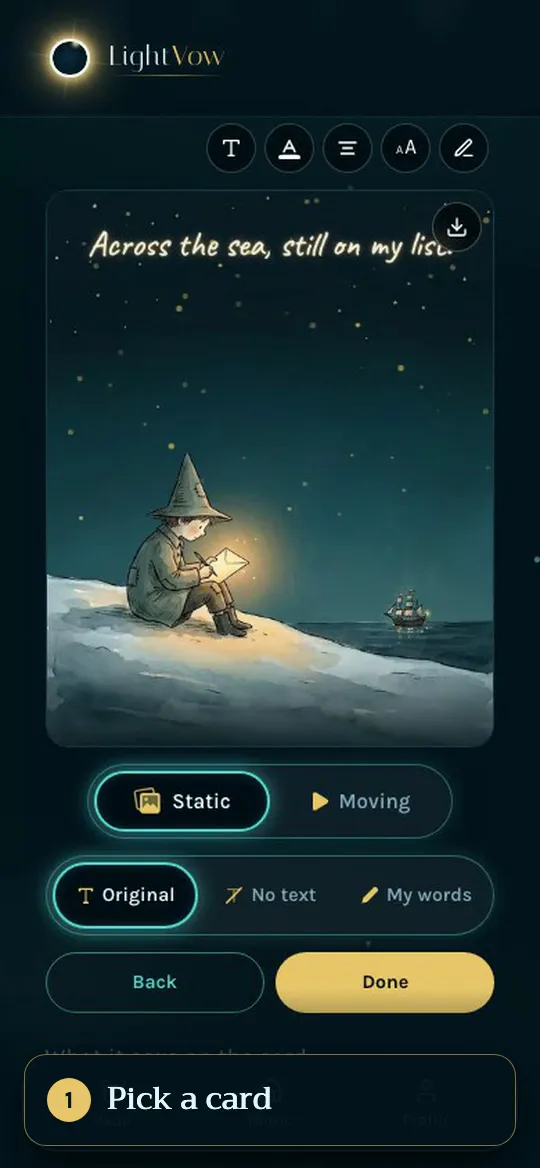
What it looks like
Real screens from LightVow, on a phone.
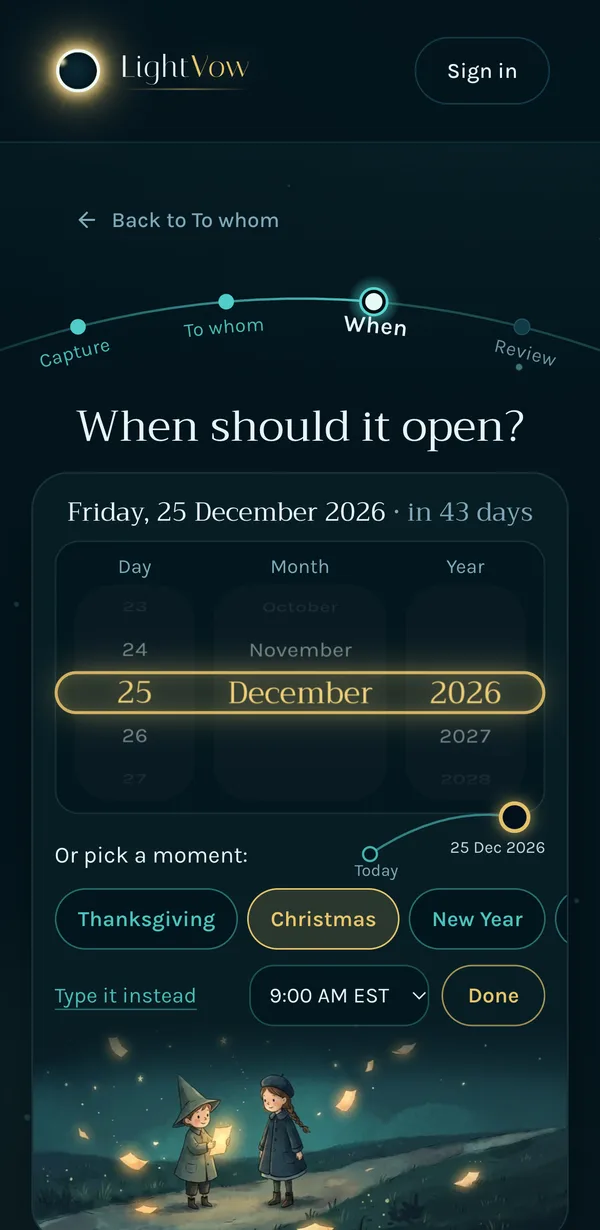
1.You pick the day and the hour 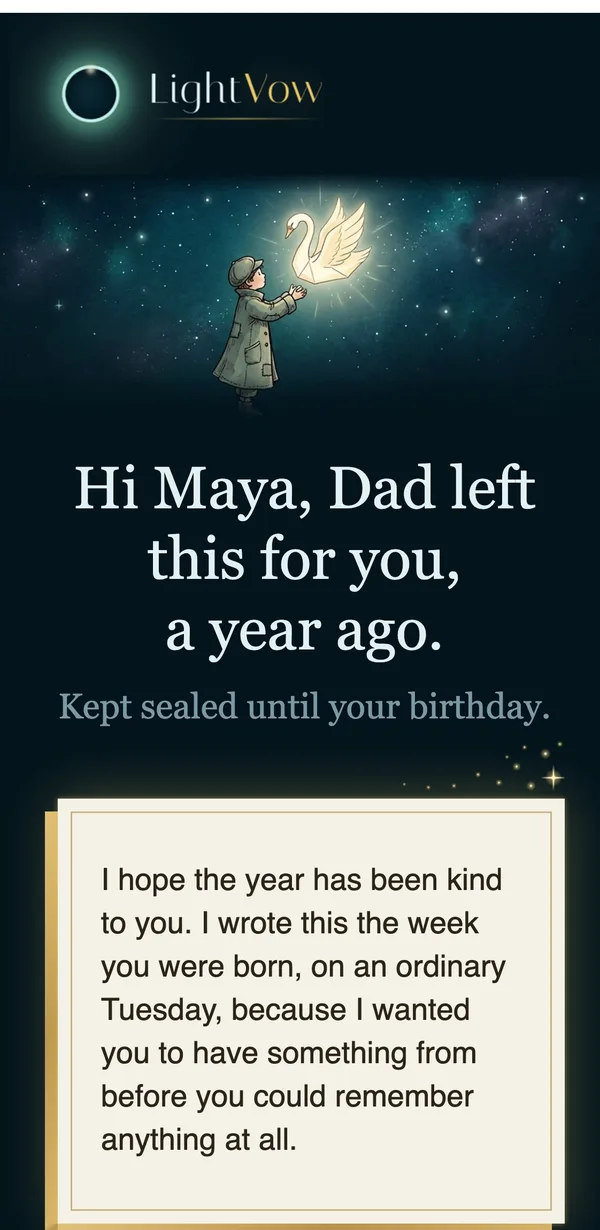
2.On that morning, an email arrives 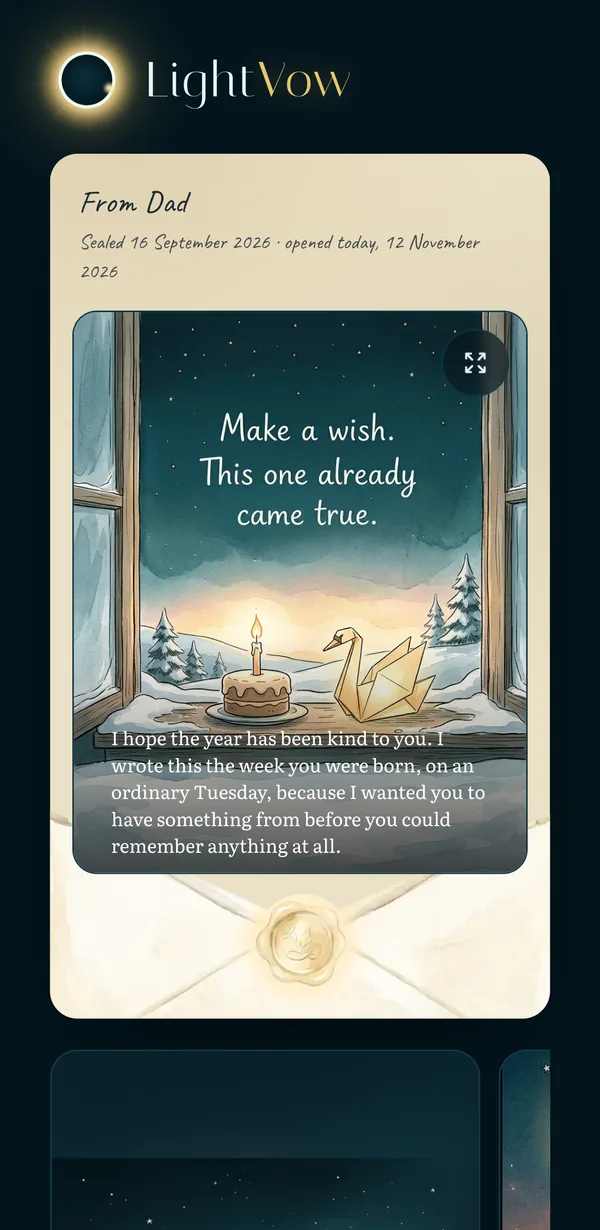
3.It opens in the browser, no app
Which one to pick
iPhone Send Later if it's an iMessage chat and the day is less than two weeks away. It's already on your phone, and the text comes from you.
Google Messages if you're on Android and want the text to come from your own number.
Gmail if it's an email and a few months out is far enough. Here's how to send an email to your future self with it.
Telegram if the person you're writing to lives on Telegram.
FutureMe if it's a letter to yourself and you want the service with the longest track record.
LightVow if the day is months or years away, the message is for someone else, or it should carry a photo, voice note or video. They get a link by text or email and don't have to install anything. Here's how to schedule a text message with it, step by step.
What to check before you schedule something important
How far ahead it goes. Two weeks is plenty for a reminder and nowhere near enough for next year's birthday.
What has to still work on the day. A phone scheduler sends from your phone or your account. A service sends from its side, which means you're counting on the company still being there.
What the other person sees. A text from your number feels like you. A text from a service should say who it's from so it doesn't look like spam. LightVow's text names you.
Why WhatsApp isn't on the list
As of November 2026, WhatsApp was still testing scheduled messages and hadn't rolled them out to everyone. If your app doesn't offer a schedule option yet, it doesn't have it.
Sources
- Apple iPhone User Guide: Schedule a text message to send later
- Google Messages Help: Send messages (schedule messages)
- Gmail Help: Schedule emails to send
- Google Account Help: Inactive account policy
- Telegram blog: Scheduled messages and reminders
- FutureMe home page and letter form
- MacRumors: WhatsApp working on scheduled messages
- LightVow product facts (read from its code)
Checked
Making it yours
- Before you write something long, check how far ahead the app goes.
- Think about what has to still work on the day (your phone, your account, or the company itself).
- See what they need to open it.
Questions people ask
- What is the best app to schedule messages?
- For a text later this week, use what's already on your phone. That's Send Later in iPhone Messages (iMessage only, up to 14 days ahead), or scheduled send in Google Messages on Android. For email, Gmail's schedule send is free. Telegram can schedule a message in any chat. For a letter to your future self, FutureMe has been around since 2002. And for a message to someone months or years from now, with a photo, voice note or video and nothing for them to install, there's LightVow.
- Can you schedule a text more than two weeks ahead?
- Not with Send Later on iPhone, which stops at 14 days. Google doesn't state a limit for Google Messages. For a date months or years away, LightVow texts them a link to your message on the day, up to 20 years ahead.
- Is there a free app to schedule messages?
- Send Later on iPhone, Google Messages, Gmail and Telegram are all free. On LightVow, your first letter is free and you only sign up when you seal it.
- Can I schedule a WhatsApp message?
- Not everyone can yet. WhatsApp was testing scheduled messages in 2026. If you don't see a schedule option in your app, you don't have it yet.
- Which app can send a message to someone years from now?
- That's what LightVow is built for. It goes up to 2 years ahead on a free letter and up to 20 on a paid plan, to anyone with an email address or phone number. FutureMe also takes dates decades out, though it's mostly for letters to yourself.
- Who wrote this comparison?
- We make LightVow. Every fact about another app comes from that app's own pages, linked under Sources.
Write it today. It opens on the day you pick.
Your first letter is free, and you only sign up when you seal it. The person you write to needs no app and no account.